Travia vs MetaTrader 5: Which Platform Is Better for Automated Forex Trading in 2026?
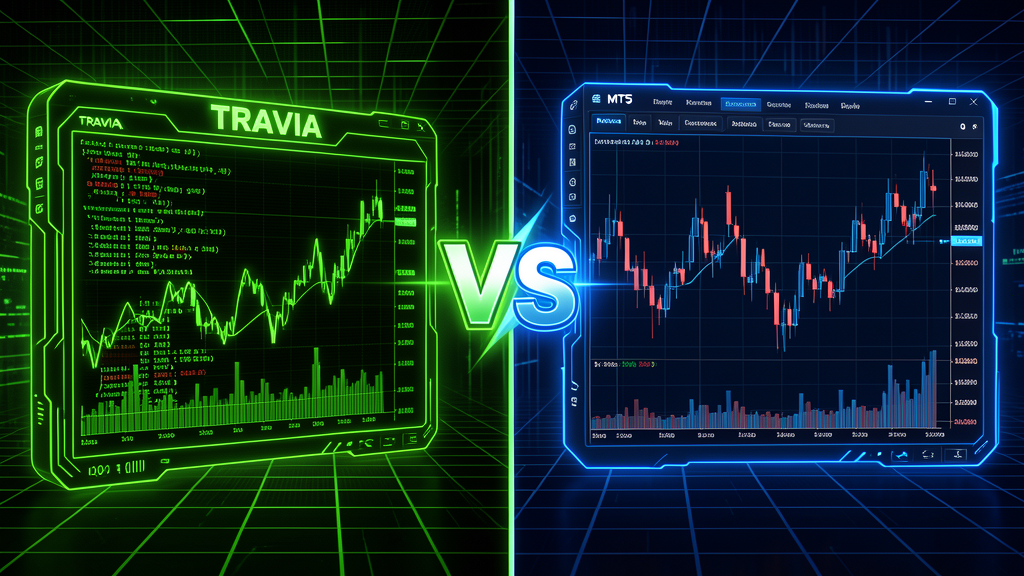
If you're exploring automated forex trading in 2026, you've likely run into the same question I hear every day: Travia vs MetaTrader 5 — which platform should I use? Both platforms promise powerful automation, backtesting, and strategy deployment. But they approach the problem from very different angles, and the right choice depends heavily on your trading style, technical comfort, and long-term goals.
In this head-to-head comparison, I'll walk through the key differences between Travia and MetaTrader 5 across the areas that matter most to algorithmic traders: setup friction, backtesting power, deployment ease, monitoring, and community support. By the end, you'll know exactly which platform fits your workflow — and whether switching (or using both) makes sense for your strategy.
What Is MetaTrader 5?
MetaTrader 5 (MT5) is the industry stalwart. Developed by MetaQuotes, it's been the go-to platform for retail forex traders for over a decade. MT5 supports MQL5 for custom indicators and Expert Advisors (EAs), offers multi-asset backtesting, and connects to hundreds of brokers worldwide. It's mature, deeply documented, and widely trusted.
But mature also means legacy. MT5's interface hasn't changed meaningfully in years. Its cloud capabilities are limited. And while its backtesting engine is solid, setting up automated strategies requires learning MQL5 — a proprietary language that doesn't transfer to any other platform.
What Is Travia?
Travia (travia.pro) is a new-generation algorithmic trading platform built for modern forex traders. It features a terminal-inspired web interface, support for multiple scripting languages (Python, JavaScript, and more), one-click backtesting with detailed analytics, and integrated paper and live trading. Unlike MT5, Travia is cloud-native — no installs, no VPS babysitting, no DLL headaches.
Travia's philosophy is simple: lower the barrier to automated trading so that traders spend more time refining strategies and less time wrestling with platform quirks. If you've ever tried deploying an MT5 EA on a rented VPS and fought with DLL import errors or terminal restarts, you'll immediately appreciate the difference.
Head-to-Head Comparison
1. Setup and Onboarding
MetaTrader 5: Download the desktop client (Windows-only for full functionality), install it, find a broker, register a demo account, download the terminal, configure your chart layout. Then write MQL5 code in the built-in MetaEditor, compile it, attach it to a chart, and enable algo trading. Total time for a first automated trade: 1–3 hours for experienced users, a full day for beginners.
Travia: Open a browser, sign up, and you're on the dashboard. Write your strategy in Python or JavaScript in the built-in code editor, hit "Backtest," see results in seconds. Deploy to paper or live trading with one click. No downloads, no compilation, no DLLs. Total time for a first automated trade: under 10 minutes.
"I spent two years on MT5 before trying Travia. The first time I deployed a Python strategy without touching a single DLL, I knew I wasn't going back." — Travia beta user
2. Backtesting Capabilities
MT5: The Strategy Tester is powerful — multi-threaded, supports tick-by-tick and every-tick modes, and can optimize parameters with genetic algorithms. However, it runs locally, meaning your computer must stay on during long optimization runs. For complex strategies, a single optimization can take hours or days, tying up your machine.
Travia: Backtesting runs on cloud infrastructure. You can run multiple backtests simultaneously without touching your local machine. Results include detailed metrics — Sharpe ratio, win rate, profit factor, max drawdown, and equity curve visualization. The platform also supports forward testing (paper trading) that seamlessly graduates to live deployment. And because Travia uses Python and JavaScript, you can leverage the entire scientific computing ecosystem — NumPy, Pandas, scikit-learn — for strategy development.
3. Strategy Deployment (Live Trading)
MT5: Deploying an EA to live trading requires either keeping your desktop running 24/7 or renting a VPS, installing MT5 on it, and maintaining it — updates, restarts, connectivity checks. MT5's stability is good, but the operational overhead is real. If your VPS reboots, your EA stops until you manually restart the terminal.
Travia: Strategies run on Travia's infrastructure. You click "Deploy" and the strategy runs in the cloud — no VPS, no uptime management, no late-night panic when a Windows update reboots your trading machine. Monitoring is built into the dashboard with real-time P&L, open positions, and performance charts. You get alerts if something goes wrong.
4. Language and Flexibility
MT5: MQL5 exclusively. It's a C-like language that's fine for its purpose, but it's proprietary. Skills learned in MQL5 don't transfer to any other platform or industry. You can't use external libraries easily — DLL imports are notoriously painful. Want to integrate a machine learning model? Good luck.
Travia: Python and JavaScript — two of the most popular, most documented, most versatile programming languages in the world. Python alone has thousands of financial libraries (TA-Lib, backtrader, zipline, etc.). You can import any Python package, use any data source, integrate any ML model. Skills transfer to quant finance, data science, and software engineering roles.
5. User Interface and Experience
MT5: Dense, Windows-native, multiple windows and panels. It's functional but shows its age. The learning curve is steep for non-technical users. Chart customization is deep but the UI feels cluttered. Dark mode exists but isn't consistent.
Travia: Terminal-inspired web interface with a clean, modern dark theme. Every feature is accessible from the dashboard. The code editor includes syntax highlighting, auto-complete, and inline documentation. Charts are interactive, responsive, and designed for quick analysis. If you've used modern developer tools like VS Code or GitHub, Travia will feel instantly familiar.
When to Choose Travia Over MT5
- You know Python or JavaScript and don't want to learn a proprietary language.
- You value speed of iteration — write, backtest, deploy in minutes, not hours.
- You don't want to manage infrastructure — no VPS, no Windows licenses, no late-night server reboots.
- You want modern tooling — cloud execution, parallel backtests, real-time monitoring, alerts.
- You're building complex strategies that need ML, data science libraries, or external APIs.
- You want transferable skills — Python and JavaScript are valuable beyond forex trading.
When to Keep MT5 (or Use Both)
- You already have a library of MQL5 EAs and they work reliably — porting may not be worth the effort.
- Your broker only supports MT5 — though Travia integrates with multiple brokers and the list is growing.
- You need ultra-low-latency execution on specific instruments where your MT5/VPS setup is already optimized.
- You want both — many traders use MT5 for their existing EAs and Travia for new Python-based strategies, slowly transitioning as they rebuild.
Verdict: Which One Wins in 2026?
If we're being honest, both platforms have their place. MT5 is a proven workhorse with deep broker integration and a massive ecosystem. It's not going anywhere. But for new traders building automated strategies in 2026, Travia offers a dramatically better experience — less friction, more flexibility, and a future-proof technology stack.
The shift toward cloud-native, language-agnostic trading platforms is accelerating. MT5's decade-long dominance is being challenged by a new generation of tools that prioritize developer experience, rapid iteration, and modern infrastructure. Travia is leading that charge.
My recommendation? Start with Travia for new strategies. Keep MT5 running for your legacy EAs if you have them. Over time, you'll likely find yourself spending more and more time on Travia — not because MT5 is bad, but because Travia makes the hard parts of automated trading simply disappear.
Ready to try Travia? It's free to start with paper trading and backtesting. No download, no setup, no credit card. Just a browser and an idea for your next strategy.