How to Use Travia's Forward-Testing Mode: Validate Your Strategies with Live Market Data
You've built a forex trading strategy, backtested it across five years of historical data, and the numbers look incredible — a 68% win rate, a profit factor of 2.1, and a max drawdown of just 8%. Feels like you've found the holy grail, right?
Not so fast. The brutal truth about forex strategy development is that strategies that crush it in backtesting often fall apart in live markets. Curve-fitting, over-optimization, and survivorship bias can make any strategy look perfect in the rearview mirror. That's exactly why Travia's forward-testing mode exists — and why it's the single most important step between building a strategy and trading it with real money.
In this guide, I'll walk you through everything you need to know about forward-testing your strategies on Travia. You'll learn what forward testing is, why it matters more than backtesting, how to set up a forward test in Travia's platform, and how to interpret the results to decide whether your strategy is ready for prime time.
What Is Forward Testing and Why Does It Matter?
Forward testing — also called paper trading or demo trading — is the process of running your trading strategy in real-time market conditions using virtual money. Unlike backtesting, which replays historical data, forward testing subjects your strategy to live market dynamics: real spreads, real slippage, real order execution timing, and real emotional pressure.
Think of it this way:
- Backtesting tells you if your strategy would have worked.
- Forward testing tells you if your strategy actually does work.
When you use Travia's forward-testing mode, your strategy executes trades in a simulated environment alongside live market data. Every entry, every exit, every stop-loss hit — it all happens in real time, just like live trading, but without risking a single dollar of your capital.
Why Backtesting Alone Isn't Enough
I know, I know — your backtest results are beautiful. But here are four reasons forward testing is non-negotiable:
1. Over-Optimization (Curve-Fitting)
When you optimize strategy parameters against historical data, you risk tuning your strategy to past noise rather than actual market structure. A forward test exposes curve-fitting immediately — if your optimized parameters stop working in real time, you'll know within days, not months.
2. Execution Quality Differences
Backtesting assumes instant fills at the exact price you wanted. In reality, spreads widen, slippage happens, and order latency matters. Travia's forward-testing mode simulates real execution conditions, giving you a much more accurate picture of what your strategy will actually achieve.
3. Changing Market Regimes
The market that generated your backtest data might no longer exist. A strategy that crushed it during 2020's high volatility may bleed money in 2026's range-bound conditions. Forward testing forces your strategy to prove itself in today's market, not yesterday's.
4. Psychological Readiness
Even automated strategies require psychological discipline. Watching your system take five consecutive losers in real-time is very different from seeing them in a backtest report. Forward testing prepares you for the emotional rollercoaster of live trading.
"Forward testing is the bridge between 'it worked in theory' and 'it works in practice.' Skip this step, and you're gambling, not trading."
How to Set Up a Forward Test on Travia
Getting started with Travia's forward-testing mode takes just a few clicks. Here's the step-by-step process:
Step 1: Build or Import Your Strategy
If you haven't already, create your strategy using Travia's visual strategy builder. You can define entry conditions using technical indicators (moving averages, RSI, MACD, Bollinger Bands), set stop-loss and take-profit rules, and configure position sizing. Alternatively, if you're using MQL5, Python, or Pine Script, you can import your existing strategy directly.
Step 2: Open the Forward Test Dashboard
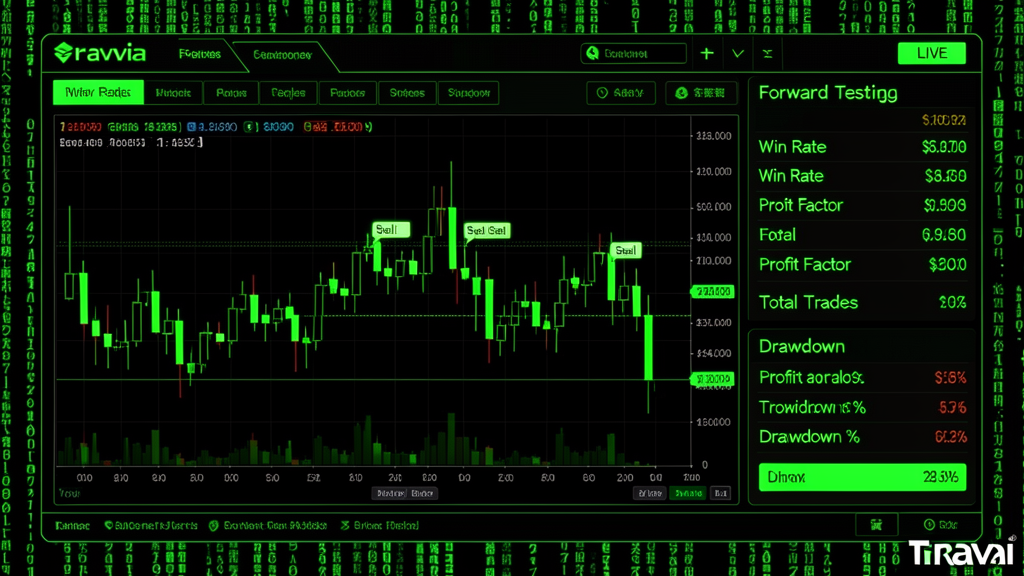
Navigate to your strategy's detail page on the Travia dashboard and click the "Forward Test" tab. You'll see a clean interface with three main areas: a real-time price chart, a trade log panel, and a live metrics dashboard.
Step 3: Configure Your Test Parameters
Before starting, configure these settings:
- Starting Balance — Set an amount that matches what you'd actually trade with (e.g., $5,000 or $10,000).
- Risk Per Trade — Define your risk percentage (1-2% recommended).
- Leverage — Match your broker's expected leverage.
- Currency Pair(s) — Select the instruments your strategy trades.
- Timeframe — Align with your strategy's trading frequency (H1, H4, D1, etc.).
- Execution Model — Choose between instant (ideal scenario) and market (simulated slippage for realism).
Step 4: Start the Forward Test
Hit the "Start Forward Test" button. Travia immediately begins running your strategy against live market data. The LIVE indicator turns green, and your strategy starts generating trade signals and executing them in the simulation environment.
Step 5: Monitor and Track
Your forward-testing dashboard updates in real time. You can check it daily, weekly, or however often you like. The key metrics you'll see include:
- Total Trades — How many signals your strategy generated.
- Win Rate — Percentage of profitable trades.
- Profit Factor — Gross profit / gross loss.
- Max Drawdown — Biggest peak-to-trough decline.
- Sharpe Ratio — Risk-adjusted return measure.
- Average Win / Average Loss — Trade size expectations.
How Long Should You Forward Test?
There's no one-size-fits-all answer, but here are practical guidelines:
- Scalping strategies (M1-M5): At least 100-200 trades (typically 2-4 weeks).
- Day trading strategies (M15-H1): At least 50-100 trades (1-2 months).
- Swing trading strategies (H4-D1): At least 30-50 trades (2-4 months).
- Position trading (W1+): At least 15-20 trades (6-12 months).
The goal is to accumulate enough trades to have statistical confidence. A strategy with 200 forward-tested trades and consistent results is far more trustworthy than one with 10,000 backtested trades and no forward validation.
How to Interpret Forward Test Results
Once your forward test has run for an adequate period, it's time to evaluate. Here's how to read the signals:
Green Light — Ready for Live Trading
Your forward test results closely match or exceed your backtest expectations. Win rate, profit factor, and drawdown are all within acceptable ranges. The strategy performed well across different market conditions during the test period.
Yellow Light — Needs Adjustment
Results are reasonable but noticeably worse than backtesting. Consider adjusting parameters, reducing risk, or adding additional filters. Then restart the forward test with the modified version.
Red Light — Back to the Drawing Board
The strategy is losing money, exhibiting excessive drawdown, or behaving unpredictably. This is a clear sign of over-optimization or a flawed strategy hypothesis. Don't try to force it — go back to the development stage and rework the core logic.
"A forward test that fails is not a failure — it's a tuition payment. It cost you time instead of money, and that's the cheapest lesson you'll ever get in trading."
Forward Testing vs. Backtesting on Travia: Key Differences
Travia offers both modes, but they serve different purposes:
- Backtesting: Runs against historical data at accelerated speed. Great for initial validation and parameter optimization. Available with Travia's Pro plan.
- Forward Testing: Runs against live market data in real time. Ideal for final validation before going live. Available with Travia's Pro and Enterprise plans.
- Live Trading: Executes with real capital on connected broker accounts. Only after successful forward testing.
The Travia platform makes it seamless to move from backtest → forward test → live. You don't need to re-code or re-deploy — just toggle the mode and let your strategy run.
Best Practices for Forward Testing on Travia
After helping hundreds of traders set up forward tests on Travia, here are the tips that make the biggest difference:
Don't Watch the Trades
Resist the urge to stare at your forward test every five minutes. Set a schedule — check it once a day or once a week. The whole point is to let the strategy prove itself without your interference.
Keep a Trading Journal
Use Travia's built-in journal feature to note market conditions during your forward test. Was there a major news event? Were markets unusually quiet? These notes will help you understand your strategy's performance context.
Test in Different Market Conditions
If you're forward testing during a low-volatility summer period (like July 2026), your results will reflect those conditions. Consider running the forward test through different market phases — high volatility, low volatility, trending, ranging — to see how your strategy adapts.
Use Realistic Parameters
Set your starting balance, leverage, and risk to match what you'd actually use. There's no point forward testing with $100,000 if you plan to trade $5,000 — the risk dynamics are completely different.
Document Everything
Travia automatically logs every trade with timestamps, entry/exit prices, and P&L. Export these logs after your test for deeper analysis in spreadsheets or your own analytics tools.
Bringing It All Together
Travia's forward-testing mode is the most powerful tool for bridging the gap between strategy development and real trading. It forces your strategy to prove itself under live market conditions, exposes weaknesses that backtesting can't reveal, and gives you the confidence to trade with real capital.
Here's your action plan:
- Build or import your strategy on Travia.
- Backtest it across at least 2-3 years of data.
- Launch a forward test with realistic parameters.
- Let it run for a statistically meaningful sample of trades.
- Evaluate the results honestly.
- If it passes — go live. If not — iterate and retest.
The traders who consistently make money in forex aren't the ones with the most sophisticated algorithms or the fastest execution. They're the ones who rigorously validate their strategies before committing real capital. Forward testing on Travia gives you that edge.
Ready to put your strategy to the test? Log in to your Travia dashboard and start a forward test today.